 DeFi Market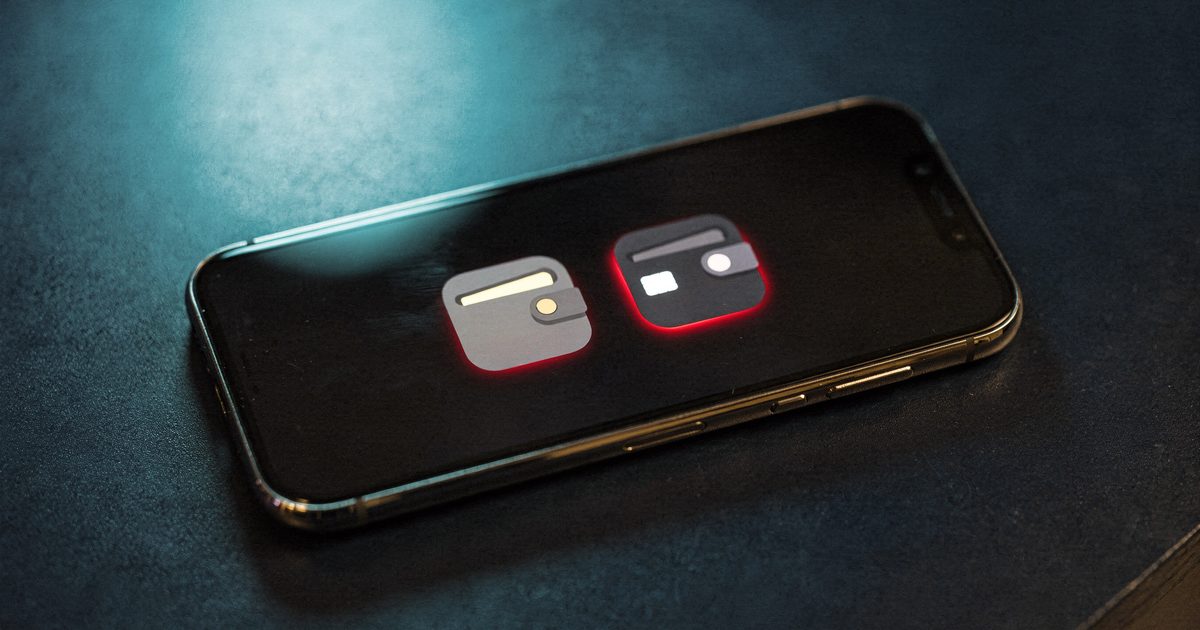
A fake crypto app is a copycat of a real wallet or exchange app, built to take your recovery phrase, your login or your deposits. Some sit in Apple's App Store and Google Play for weeks. To tell a real app from a fake, check first whether the real company even makes an app for your device, then reach the app through the company's own website, match the developer name exactly, and never type your recovery phrase into an app you just installed. In April 2026 a fake Ledger Live app in Apple's Mac App Store took about $9.5 million from roughly 50 people before Apple pulled it.
What is a fake crypto app?
It's an app that borrows a trusted name, logo and screenshots. Being in an official store doesn't make it real. The store reviews the app. It doesn't prove the developer behind a "Ledger" listing has anything to do with Ledger.
Fake crypto apps come in three kinds, and each one takes your money a different way.
| Type | What it asks for | How you lose money | Real example |
|---|---|---|---|
| Fake wallet app | Your 12 or 24 recovery words, to "restore" or "verify" a wallet | The words go to the scammer, who empties the wallet from their own device | Fake Ledger Live on the Mac App Store, April 2026 |
| Wallet drainer app | A "connect wallet" tap, then approvals to sign | You sign transactions that move your tokens out | Fake WalletConnect app on Google Play, 2024 |
| Fake exchange or trading app | Deposits, usually sent to an address someone gives you | The balance on screen is invented, and withdrawals need a "tax" or fee | Apps posing as US financial firms, flagged by the FBI in July 2022 |
Can fake crypto apps get into the App Store and Google Play?
Yes, and 2026 has been a bad year for it. Four cases show how.
The fake Ledger Live app. Ledger's real Mac app is downloaded from Ledger's own website. It isn't in the Mac App Store at all. Scammers filled that gap. BleepingComputer reported that a fake "Ledger Live" listed under a publisher called Leva Heal Limited asked users for their recovery phrase, and that about 50 people lost around $9.5 million in early April 2026. Three of them lost more than $1.9 million each. Apple pulled it after the money was gone.
The fake Sparrow Wallet. Sparrow is a desktop bitcoin wallet with no iPhone version. In a lawsuit filed on July 24, 2026, in federal court in San Jose, three people say they lost about $1.8 million in bitcoin after the app told them to enter their seed phrases. According to 9to5Mac's report on the complaint, they also claim Apple placed the fake app in curated crypto collections next to real ones, and that Sparrow's developer had warned Apple about scam copies as far back as January 2024. Those are allegations. Apple says it removed the fakes and terminated the accounts behind them.
The FakeWallet campaign. Kaspersky researchers said they found 26 apps in Apple's App Store in 2026 posing as MetaMask, Coinbase, Trust Wallet, Ledger and other wallets. The listings posed as games or calculators, then pushed users to install a booby-trapped wallet that copied recovery phrases. Most targeted users in China, but Kaspersky said nothing in the code limits it to one country. Apple removed 25 of the 26 after Kaspersky reported them.
The fake WalletConnect app. Android isn't spared. Check Point found a Google Play app using the name of WalletConnect, a real tool for linking wallets to crypto sites. It passed 10,000 downloads, helped by fake reviews, and The Register reported that at least 150 people lost more than $70,000 before it came down.
The stores do fight back. Apple says it terminated 193,000 developer accounts over fraud concerns in 2025 and rejected more than 138,000 enrollments, according to its May 2026 fraud report. Those are Apple's own numbers, and they show how many keep trying.
How a fake wallet app empties your wallet
The fake wallet app is the fastest of the three. The theft takes minutes, and it starts with an ordinary search.
Your recovery phrase is the wallet. Whoever has those words can rebuild it on any device, and the blockchain treats them as you. That's why every one of these apps steers you to a "restore," "sync" or "security check" screen. Hardware wallet owners are prime targets, because the device keeps the words offline until you type them somewhere yourself.
How to tell if a crypto app is real: 7 checks
Run these before you install anything that touches your crypto. The first one alone catches the cases above.
- Check whether the real app exists for your device. Go to the company's website and see which platforms it supports. Ledger's Mac app comes from Ledger's site, not the Mac App Store. Sparrow has no iPhone app. If the store has an app the company doesn't make, it's fake.
- Start from the website, not the store search. Type the company's address yourself and use the App Store or Google Play link on its download page. Search results and ads are where the copies sit.
- Match the developer name, letter for letter. On the listing, the developer should be the company itself. A real-sounding name that isn't the company, like "Leva Heal Limited" on a Ledger app, ends it.
- Read the listing's history. A big wallet has millions of downloads and years of reviews. A copy has a recent release date, a few thousand downloads, a burst of five-star reviews and one-star reviews that say "stole my funds."
- Notice who sent you the link. A link in a chat, an ad, a "beta" invite or an Android file to install outside Google Play is a warning on its own. So is any page that asks you to install a profile on your iPhone.
- Never type your recovery phrase into a new app. Setting up a new wallet gives you fresh words. You only type existing words when you're restoring your own wallet onto a device you trust, with an app you've verified. A "verification" or "sync" screen asking for them is the theft.
- For trading apps, test the exit before the entry. Check the firm with your regulator first. If it asks for a fee, tax or deposit before you can withdraw, it's fake.
⚠ Red flag
No real wallet, exchange or support team will ever ask you to type your recovery phrase to verify, sync, unlock or upgrade anything. If an app, a pop-up or a helpful person in a chat asks for those words, close it. The words are the money.
Prefer to watch? How to spot a fake crypto app, in under a minute.
Read the video transcript
Fake crypto apps are in the App Store. In April 2026, a fake Ledger Live app on Apple's Mac App Store took about nine and a half million dollars from roughly fifty people, BleepingComputer reported. It looked perfect. It just asked for their recovery words. Four checks before you install anything. One: go to the company's website and see if it even makes an app for your device. Ledger's real Mac app isn't in the App Store at all. Two: use the download link on that site, not a store search or an ad. Three: read the developer name, letter for letter. It must be the company itself. Four: never type your recovery phrase into an app you just installed. Not to verify, not to sync, not ever. If you already did, move your crypto to a brand-new wallet right now. Which crypto app do you want us to check? Comment below, and hit like and subscribe.
Fake trading apps: the ones that seem to work
The third kind is slower and costs far more. A fake trading app doesn't need your recovery phrase. It wants your deposits, and shows you a balance that climbs.
The FBI described the pattern in a July 2022 warning to banks. Criminals built crypto investment apps using the names, logos and details of real US businesses. The FBI counted 244 victims and about $42.7 million in losses. One app, YiBit, took about $5.5 million from at least four people. When victims tried to withdraw, they were told to pay taxes first.
These apps rarely come from a store search. A new online friend, a Telegram "mentor" or a recruiter sends the link. That's the route in a pig butchering scam, and the same fake platforms turn up in crypto task scams that pay you for "rating products." Often the app is just a wrapper around a website, so the checks in our guide on how to check if a crypto website is legit apply too: domain age, regulator warning lists, and who gives you the deposit address.
The FBI's guidance for victims is blunt: don't pay extra fees or taxes to withdraw, because victims don't get the money back even when they pay. A real platform takes its fees out of your balance.
| Check | Real app | Fake app |
|---|---|---|
| Platform | Listed on the company's own download page | An app the company doesn't make, like a Mac or iPhone version that doesn't exist |
| How you found it | A link on the website you typed in | Store search, an ad, a chat link or a "beta" invite |
| Developer name | The company itself | A different company or a person's name |
| Listing history | Years of updates and reviews | New, with a sudden wave of five-star reviews |
| Recovery phrase | Never requested after setup | Asked for to "verify," "sync" or "restore" |
| Deposits | Your address is shown in your account | A support agent sends an address in a chat |
| Withdrawing | Fees come out of your balance | New money demanded first as a tax or fee |

Rob's take
I've held Bitcoin since 2011, and I've never needed to type my recovery words into a phone. The App Store badge made people relax this year. It shouldn't have. A listing tells you Apple let an app in. It doesn't tell you who made it. Check the developer name the way you'd check the return address on a letter asking for money.
What to do if you used a fake crypto app
- If you typed your recovery phrase, move everything now. Set up a brand-new wallet with new words on a device you trust, then send whatever is left to it. Our guide on what to do when your seed phrase is compromised covers the order.
- If you connected a wallet and signed something, check and revoke the token approvals you gave, then move funds if you're unsure.
- If you typed an exchange password, change it on the real site, turn on app-based two-factor login and check for new withdrawal addresses.
- Delete the app and save the evidence: the listing, the developer name, your transactions and the addresses your crypto went to.
- Report it. File with the FBI at ic3.gov and the FTC at ReportFraud.ftc.gov. Report the listing to Apple or Google so it comes down for the next person.
- Ignore anyone offering to get it back. People who promise recovery for a fee are the second wave. Read how crypto recovery scams work first.
Not sure whether an app, a message or an offer is a scam? Our is this a scam? quiz takes a minute, and the Scams hub has every guide in one place.
Fake crypto app FAQ
How do I know if a crypto app is fake?
Check the company's own website to see whether it makes an app for your device, and use the download link there. On the store listing, the developer name must match the company exactly. Any app that asks for your recovery phrase to verify or sync is fake.
Can fake apps get into the Apple App Store?
Yes. In April 2026 a fake Ledger Live app in the Mac App Store took about $9.5 million from roughly 50 people before Apple removed it. Kaspersky also found 26 fake wallet apps in the App Store in 2026. A store listing means the app passed review, not that the real company made it.
What should I do if I entered my seed phrase into a fake app?
Create a new wallet with a new recovery phrase on a device you trust, and move any remaining funds to it right away. Then report it at ic3.gov and to the app store. Never reuse the exposed phrase.
Why does a crypto app ask me to pay a fee or tax before withdrawing?
Because it's a fake trading app and the balance isn't real. Real platforms take fees out of your balance, and taxes are paid to the IRS by you. The FBI says victims who pay these fees still don't get their money back.
Is a crypto exchange app that won't let me withdraw a scam?
If it demands new money before releasing yours, or support only talks to you through a chat app, treat it as a scam and stop depositing. Check the company with your state regulator and the CFTC and SEC, and report it at ic3.gov.
Does a hardware wallet protect me from fake apps?
Only if you never type its recovery phrase anywhere. The fake Ledger Live and FakeWallet apps targeted hardware wallet owners by asking them to enter their words. The device can't protect words you give away.